
Case summary
Design shaped by how real users work
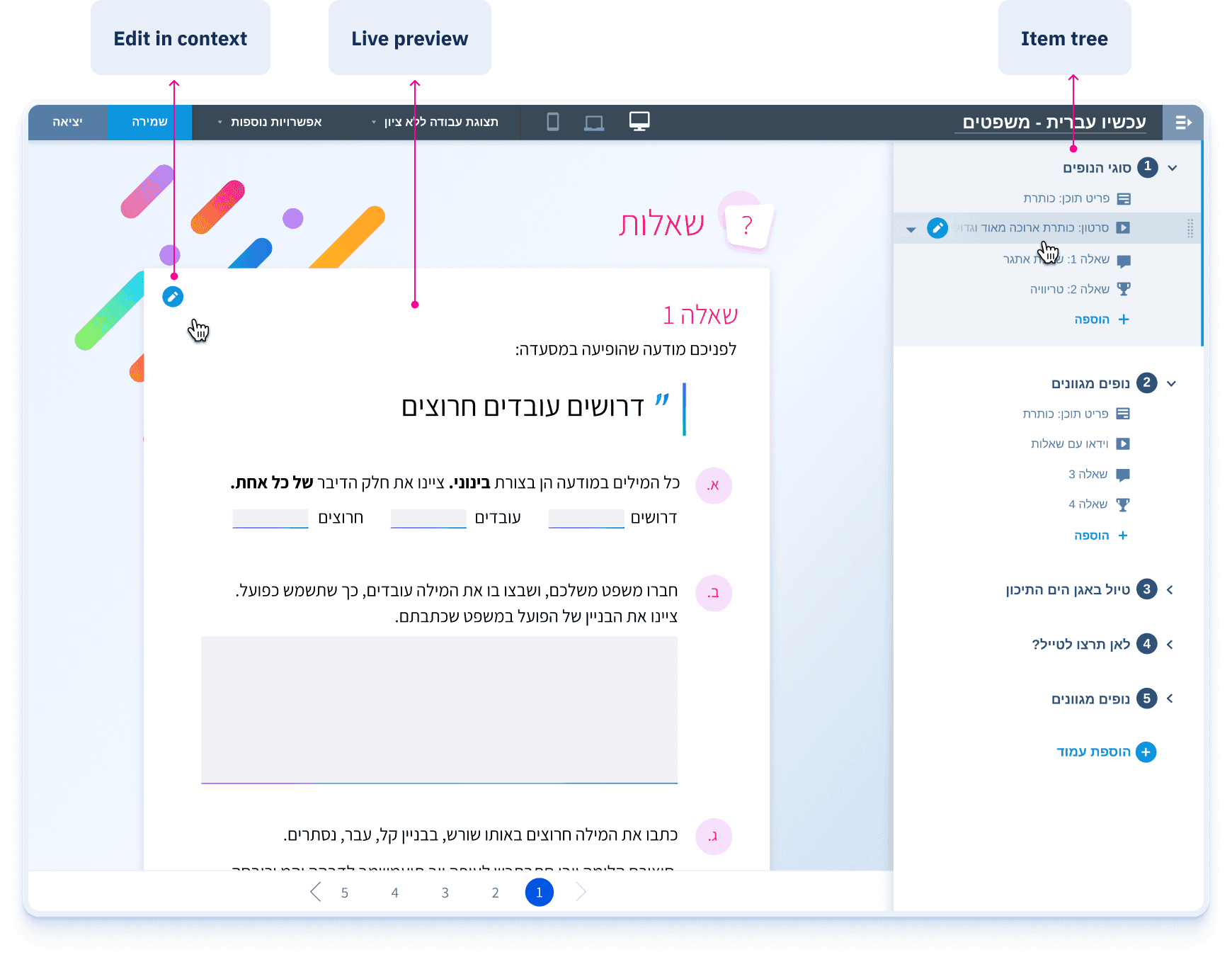
The Studio was a no-code content creation tool - built internally, used across multiple roles to create digital learning content.
Goal
Grow teacher adoption
Ministry of Education initiative
THE RESULT
60x growth during the pandemic
Active teachers jumped from 300 to 18,000. When schools reopened, 8,000 stayed - because the tool actually worked.
Getting there required researching how content creation works:
Field observations & interviews
Exposed how different roles actually workedUsability testing
Real sessions that changed the design before launch
Context
Scaling an internal tool to teachers
The Studio is a content creation platform developed by the Center for Educational Technology - part of a digital learning suite sold to schools across Israel.
The Ministry of Education selected the platform to lead a national digital learning initiative with a goal:
The Studio was built as an internal no-code tool for creating digital learning units. It was outdated, slow, and difficult to use.
BEFORE
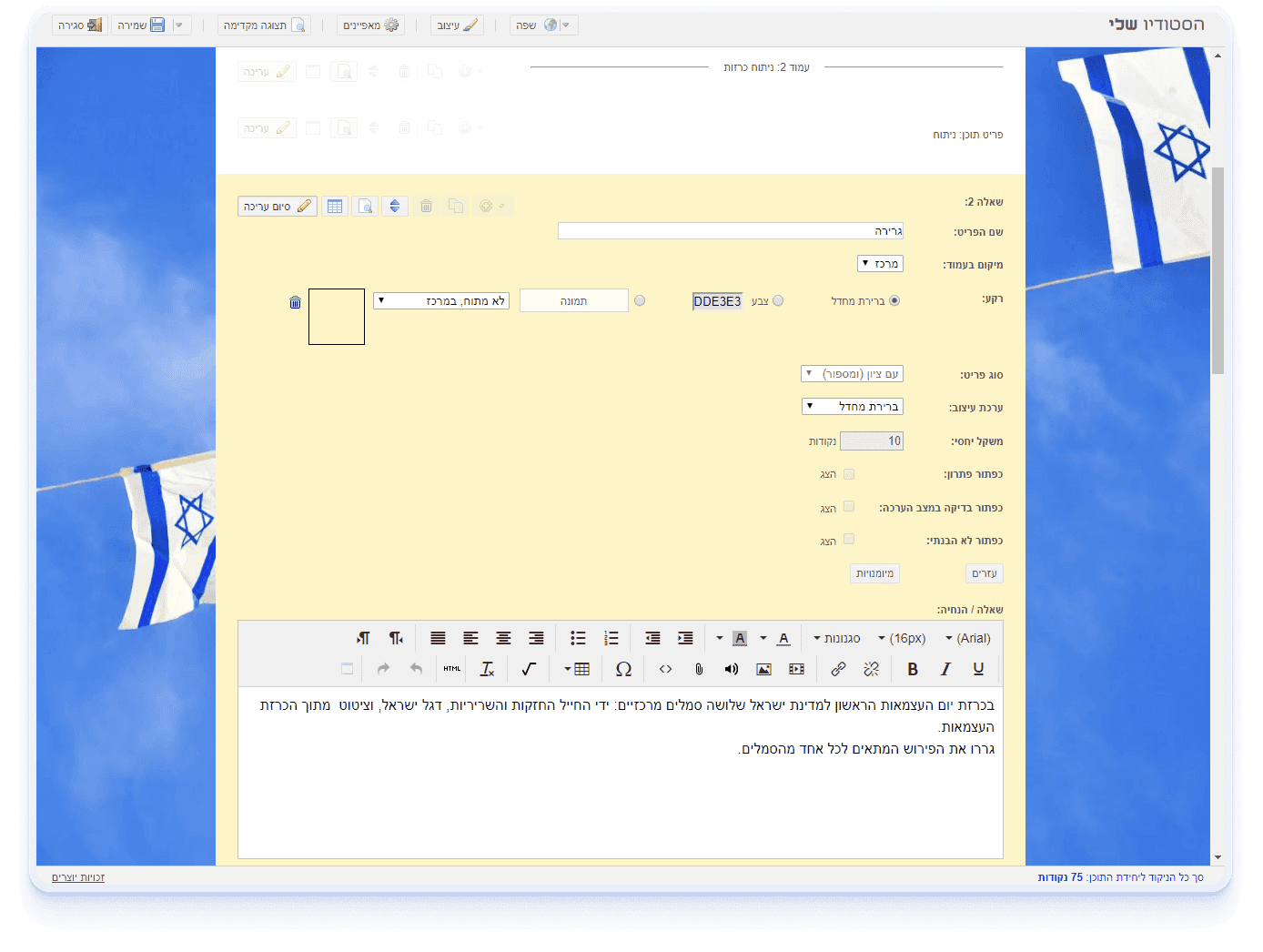
So making it ready for teachers wasn't a matter of visual polish.
Product Strategy
Redefining the Studio
Before the redesign, I was already part of the workflow - using the Studio as a designer, working closely with other roles, each with a different 🎯 goal and % of tool usage.
Content Briefing
Pre-Studio planning
Pedagogical teams and PMs prepare structure and content - mostly in Word -before any Studio work begins.
Core Production Flow
Design & Feasibility
Designers
Define the visual language, create the concept, and test feasibility.
🎯 Precision
10
% of tool usage

Production & Scale
Learning developers
Replicate the validated design and input data across all units.
🎯 Speed
60
% of tool usage

Iterative Review
Pedagogical staff
Find, edit, and verify content - making final pedagogical adjustments
🎯 Orientation & control
25
% of tool usage

The Growth Target
Teachers
Mostly duplicated and adapted existing units for their students.
🎯 Ease of use
5
% of tool usage
Spoiler
60x growth during pandemic
In 2020, schools went fully digital. The redesigned Studio became how teachers delivered lessons - and active teachers jumped from 300 to 18,000.
Expanding the brief
The Ministry of Education funded the redesign to enable teacher adoption. The initial brief focused on a visual refresh.
I challenged that direction, and together with Lior (PM), we reframed the goal:
Teacher adoption and internal efficiency required the same solution.
Constraints
6-month timeline with first version in 2 months
Design and development ran in parallel from week one.Fixed architecture - tool engine and published units
The core engine stayed intact, and backward compatibility with all existing units was non-negotiable. A full rebuild was never an option.Multiple user groups
Different goals, one shared system
Research
From hypothesis to evidence
Having worked inside the Studio, I had a strong hypothesis:
Research helped validate that intuition and clarify what needed to change.
Designing for real conditions
I watched each role use the Studio in their actual environment. Screen quality, physical setup, and workflow exposed constraints interviews alone wouldn’t reveal.
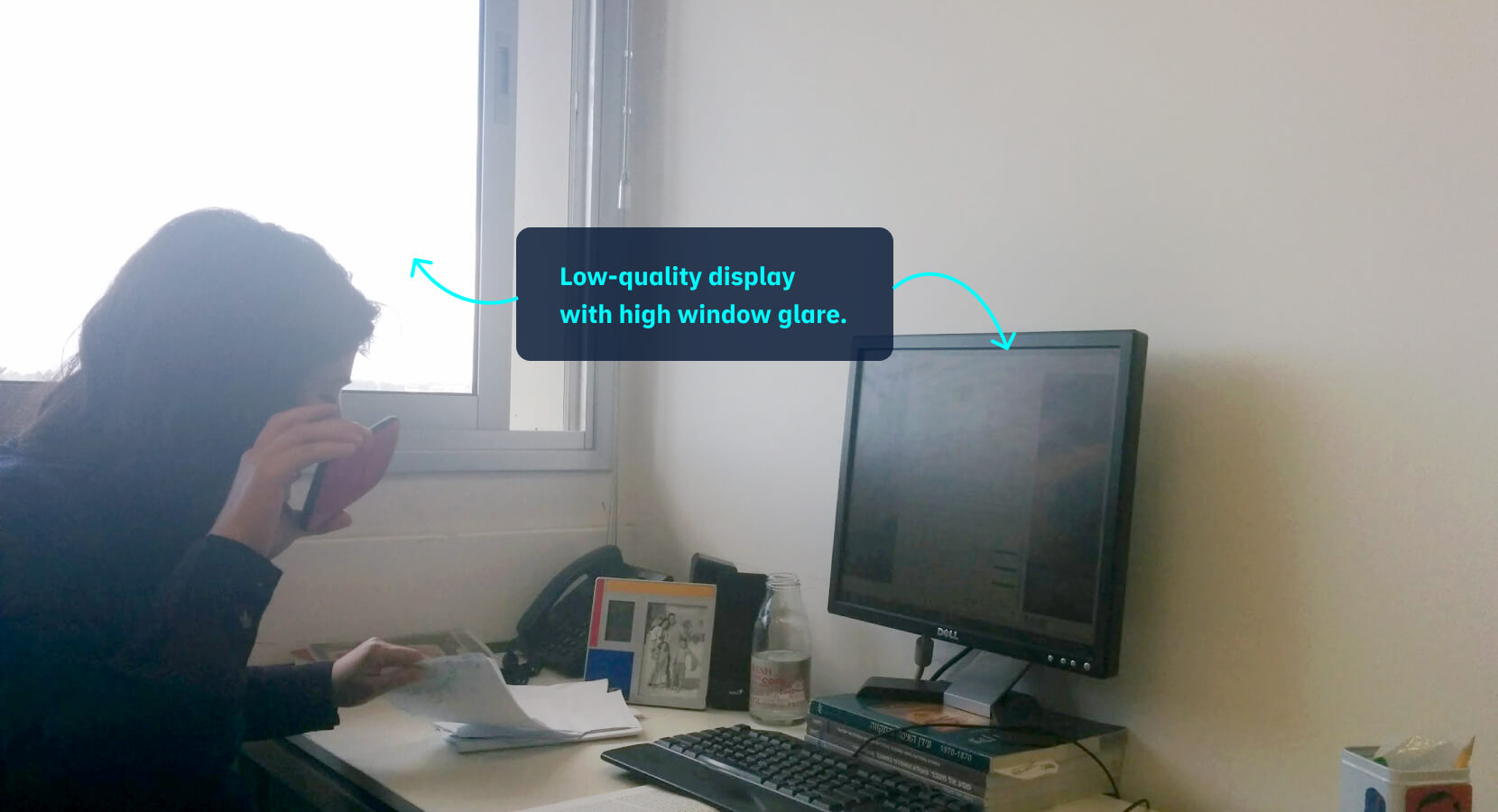
Pedagogical staff: Reviewing under constraints
Working on low-quality, high-glare screens while reviewing both structure and content. They need clarity and immediate visibility.
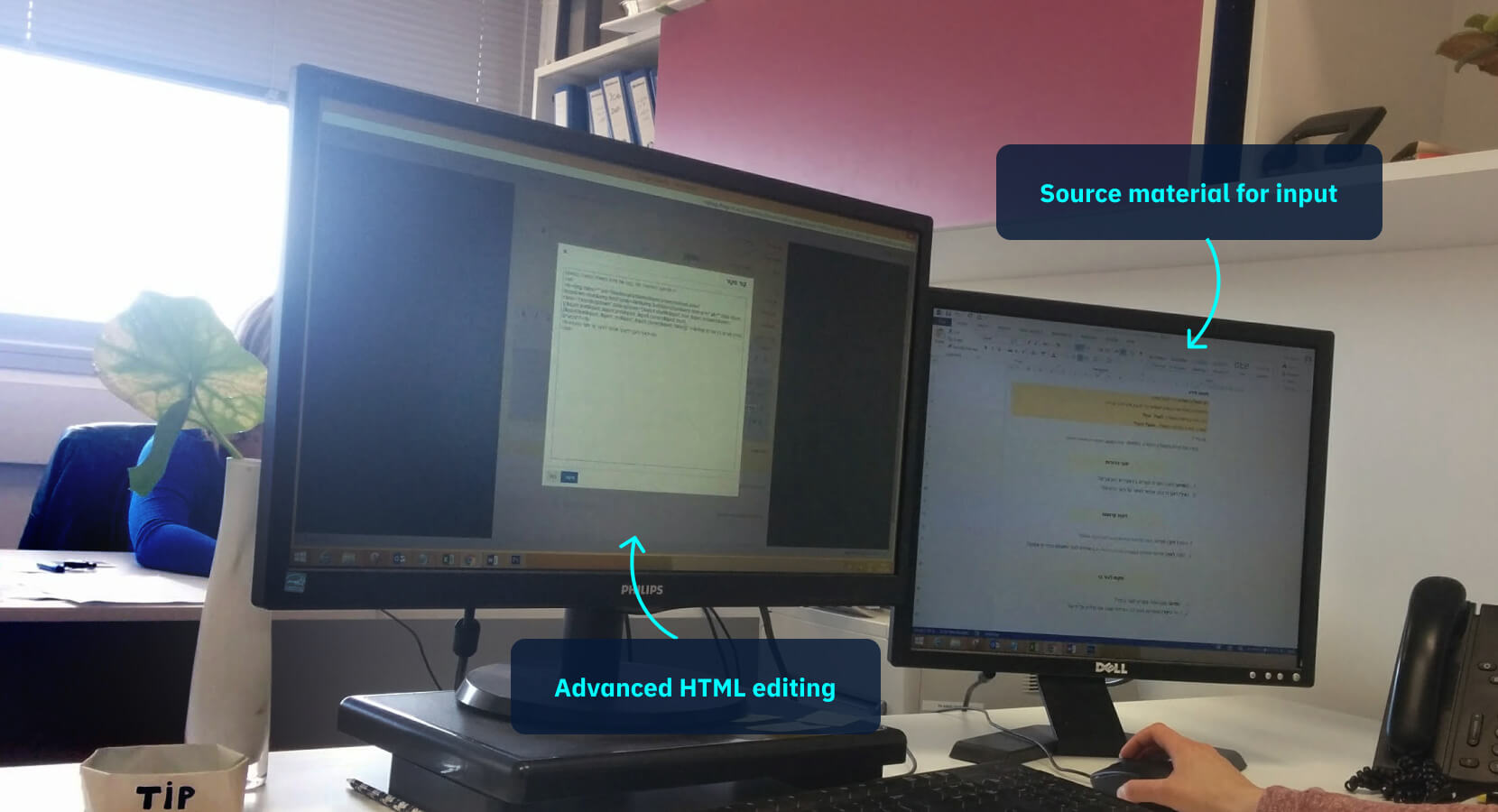
Learning developers: Power users
Technically strong and fast. They navigate complexity easily and will find hidden features if needed.
Key insight
Power users tolerate complexity
Reviewers need simplicity
Not everyone needs everything visible. The interface should surface what’s essential and keep the rest out of the way.
Content creation is structured
The core discovery from observations and interviews: the tool forced a linear flow, but content creation is spatial.
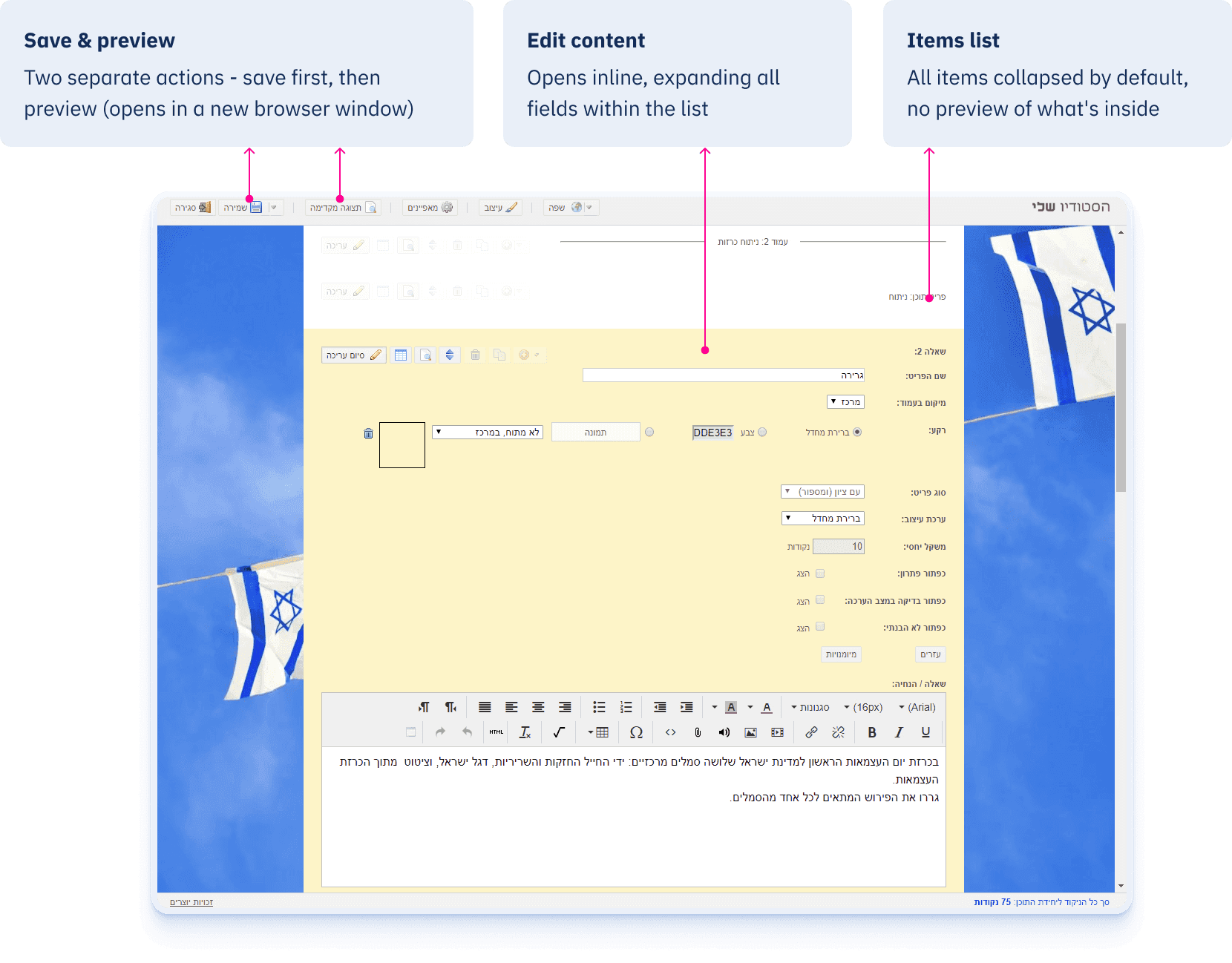
The tool forced users to edit content blindly in a list-like order:
BEFORE
In reality, content creation is a spatial process. Users don't just fill fields. They structure, drag, and rearrange "blocks" of content while requiring constant visual feedback. The existing tool had no answer for that.
OLD
Forced flow - fill, save, hope for the best
Content was hidden and feedback was delayed - structure was invisible.
NEW
Structure first - the visual canvas
Structure stays visible and feedback is immediate. Editing happens where content lives.
Pattern validation
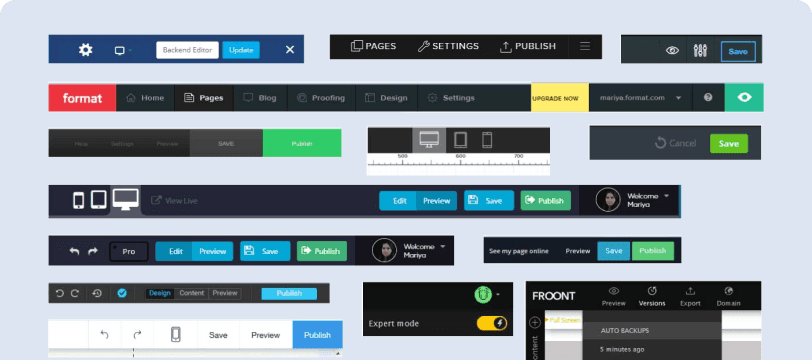
I reviewed 60+ content tools. Not just observed but tested with users. When a pattern looked promising, I put it in front of real users before adopting it.
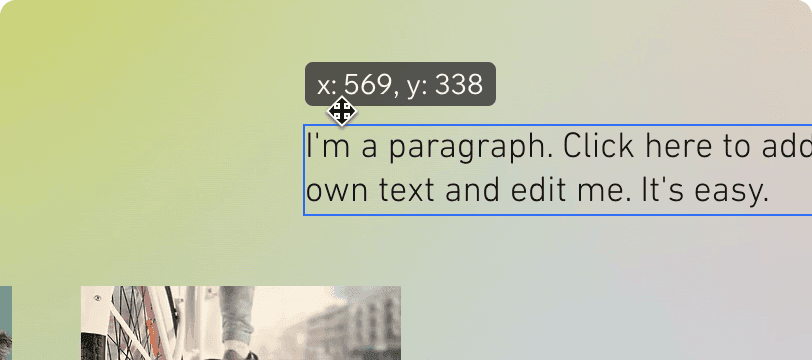
REJECTED
Drag-to-add on canvas
Tested with non-expert users - caused frustration. Dragging doesn't allow precise placement and adds cognitive load. Dropped it.
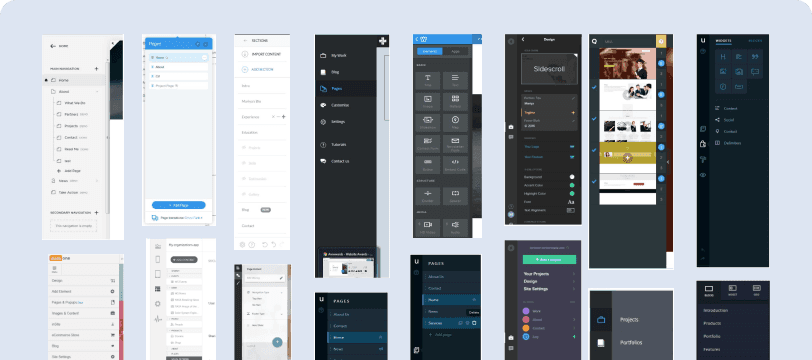
ADOPTED
Side panel for structure and creation
Across nearly every tool, a side panel handled both the element list and add-new action. Consistent enough to trust - adopted it.
ADOPTED
Top bar for global actions
Save, device preview switching, and settings consistently lived in a top bar across tools. Standard enough to follow - adopted it.
final design
The redesigned Studio
A content-first editor built around how users actually think - structure-first, with immediate preview.
Teachers
🎯 Ease of use
Minimal interface that doesn't require technical knowledge.
Pedagogical staff
🎯 Orientation & control
Clear item tree, drag-and-drop structure, always visible.
Learning developers
🎯 Speed
Real-time preview across devices. No context switching.
Designers
🎯 Precision
Live preview made feasibility testing faster and more accurate.
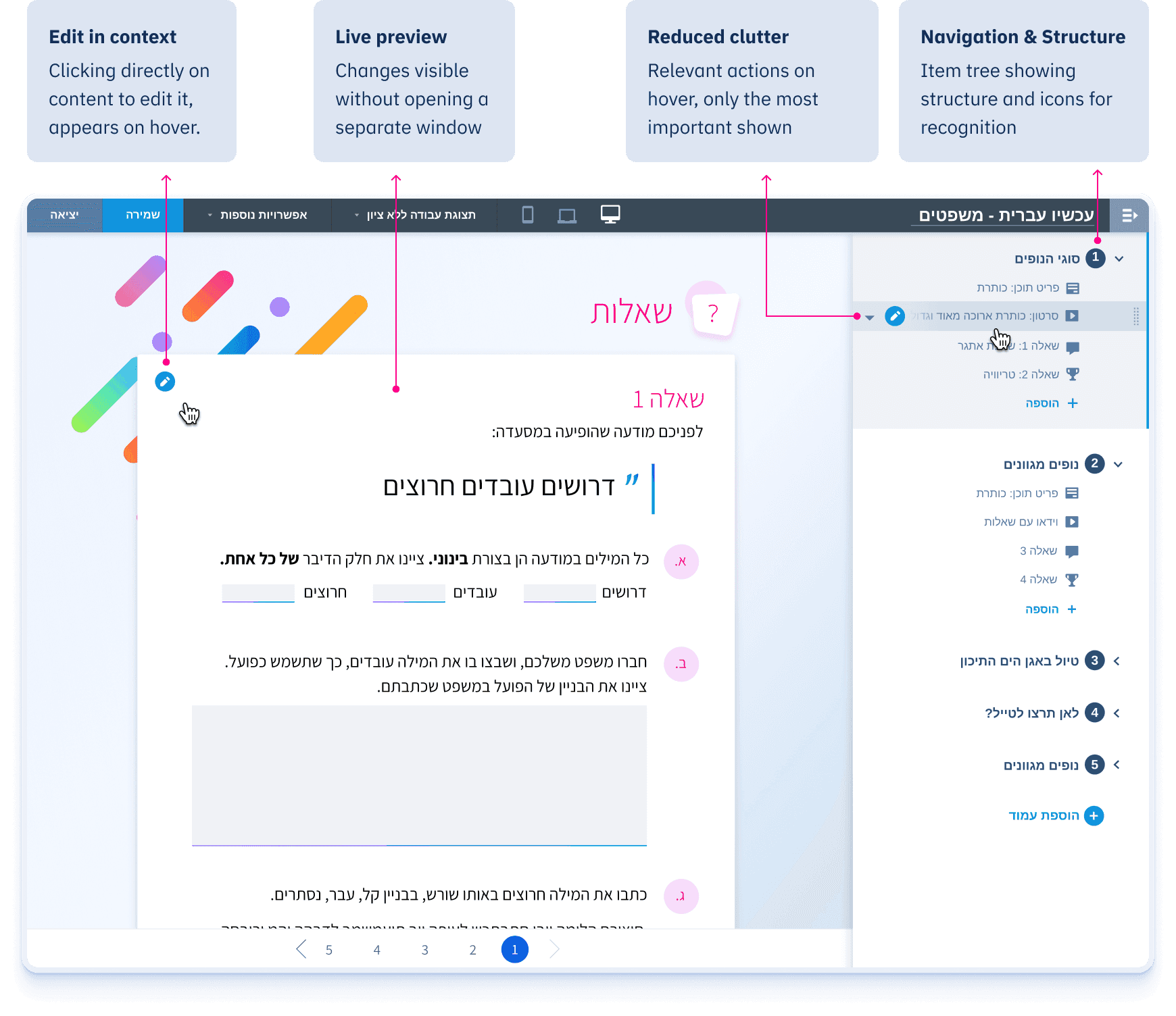
Visual canvas with visible structure
Structure and content always visible - no blind editing.
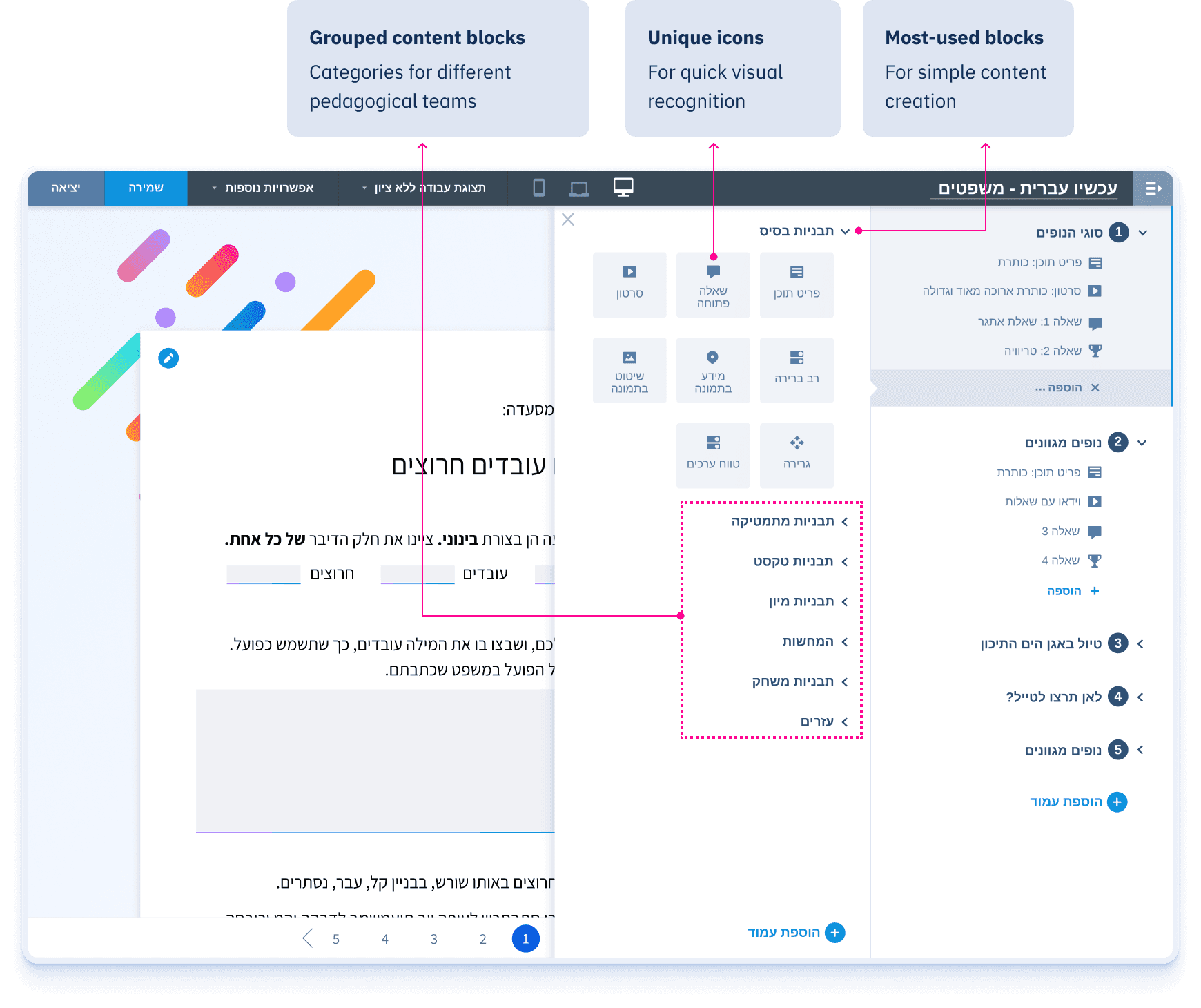
Content blocks panel
The old Studio had one unsorted list of content blocks. I ran card sorting to define the categories - common ones visible by default, specialized ones grouped underneath.
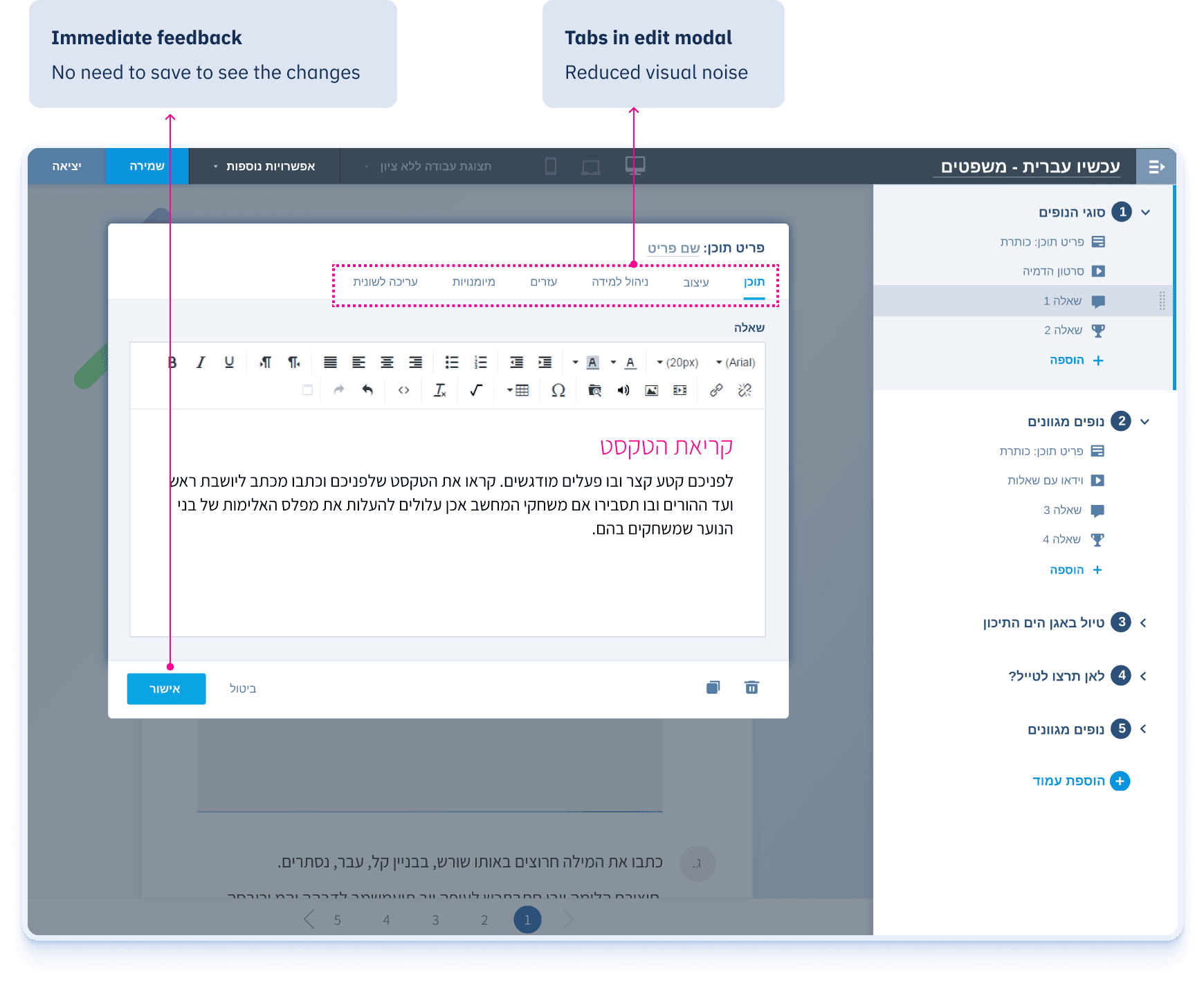
Organized editing modal
Edit modal with tabbed settings - less visual noise, more focus on content.
Curious fact: early design prototypes tested inline canvas editing - but users lost their place while scrolling and editing.
USABILITY TESTING
Released early. Tested with real users.
The final product didn’t arrive fully formed - it evolved through usability testing and feedback.
We released an early version and tested it with our users to understand how the product actually performed in practice.
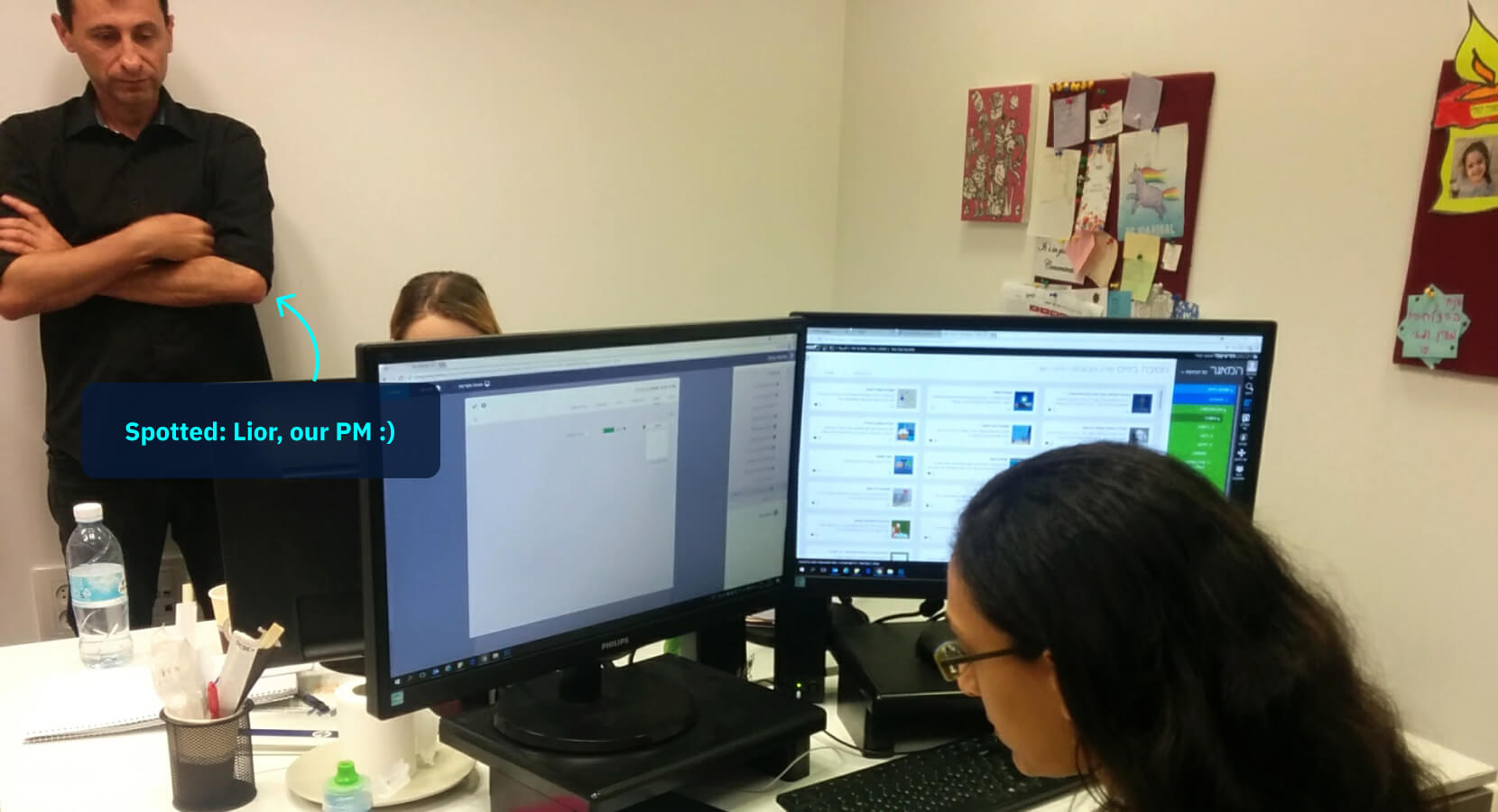
Internal teams
We tested first with Learning developers & pedagogical staff
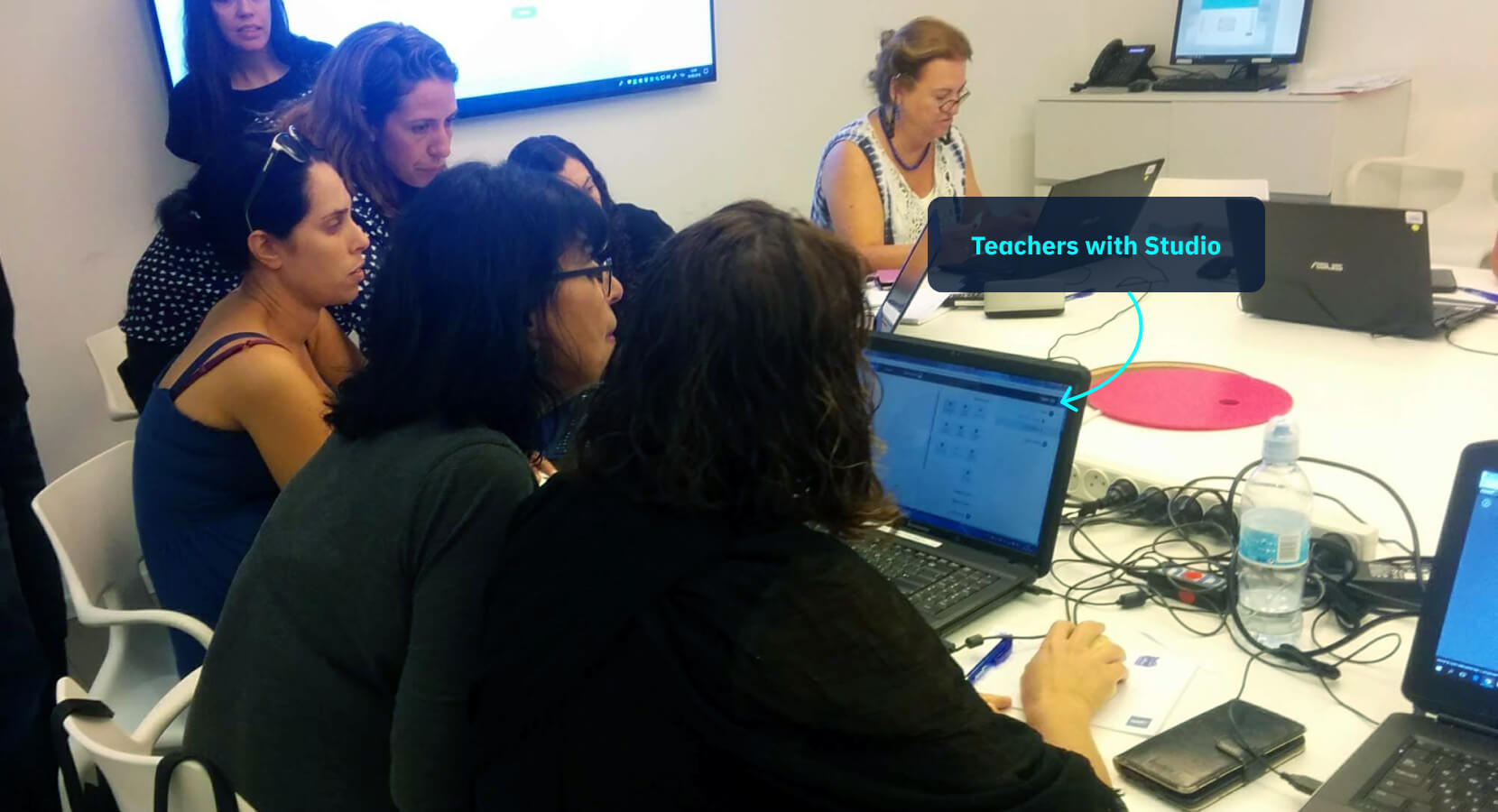
Pre-launch workshop for teachers
Teachers (primary growth target) were invited before launch for a final round of testing
ITERATIONS
Decisions shaped by users
Testing didn’t just confirm assumptions - it revealed what needed to change. Here are the key refinements.
When two actions compete, users lose
Users didn't find the edit button. It was too small, too easy to miss. They clicked duplicate instead - and ended up with multiple unintended copies before realizing what went wrong.
BEFORE
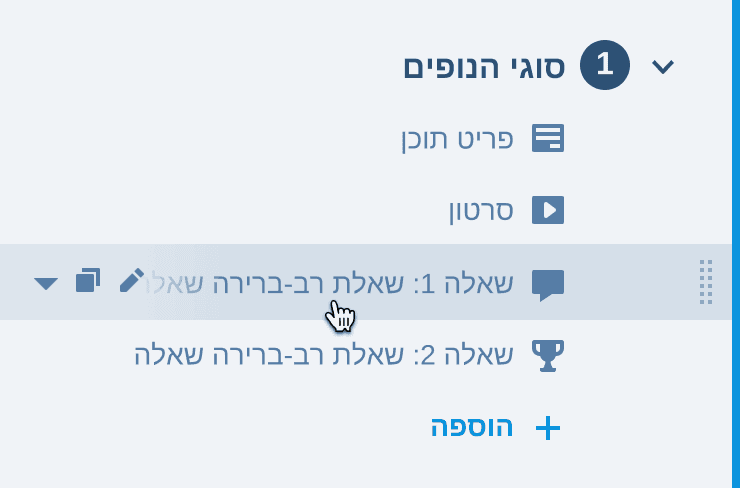
Two actions visible on hover
Users triggered duplicate instead of edit
AFTER
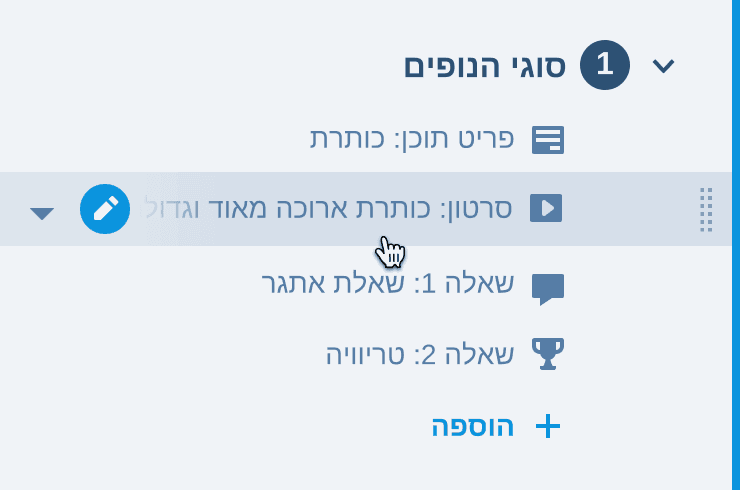
Edit as primary action
Everything else in the submenu
A small animation on duplicate was added so users would notice the action had happened.
The edit modal that confused everyone
The tab structure was a hit - users loved how much it reduced visual noise.
But two things created friction. There was no cancel button - it was cut under time pressure, and the confirm (✓) took its place in the corner, where the close button usually lives. So closing always saved.
Users couldn't find the confirm button (✓). They expected it at the bottom, where actions typically live.
Without cancel, users hesitated before changing anything, afraid of saving something by accident.
BEFORE
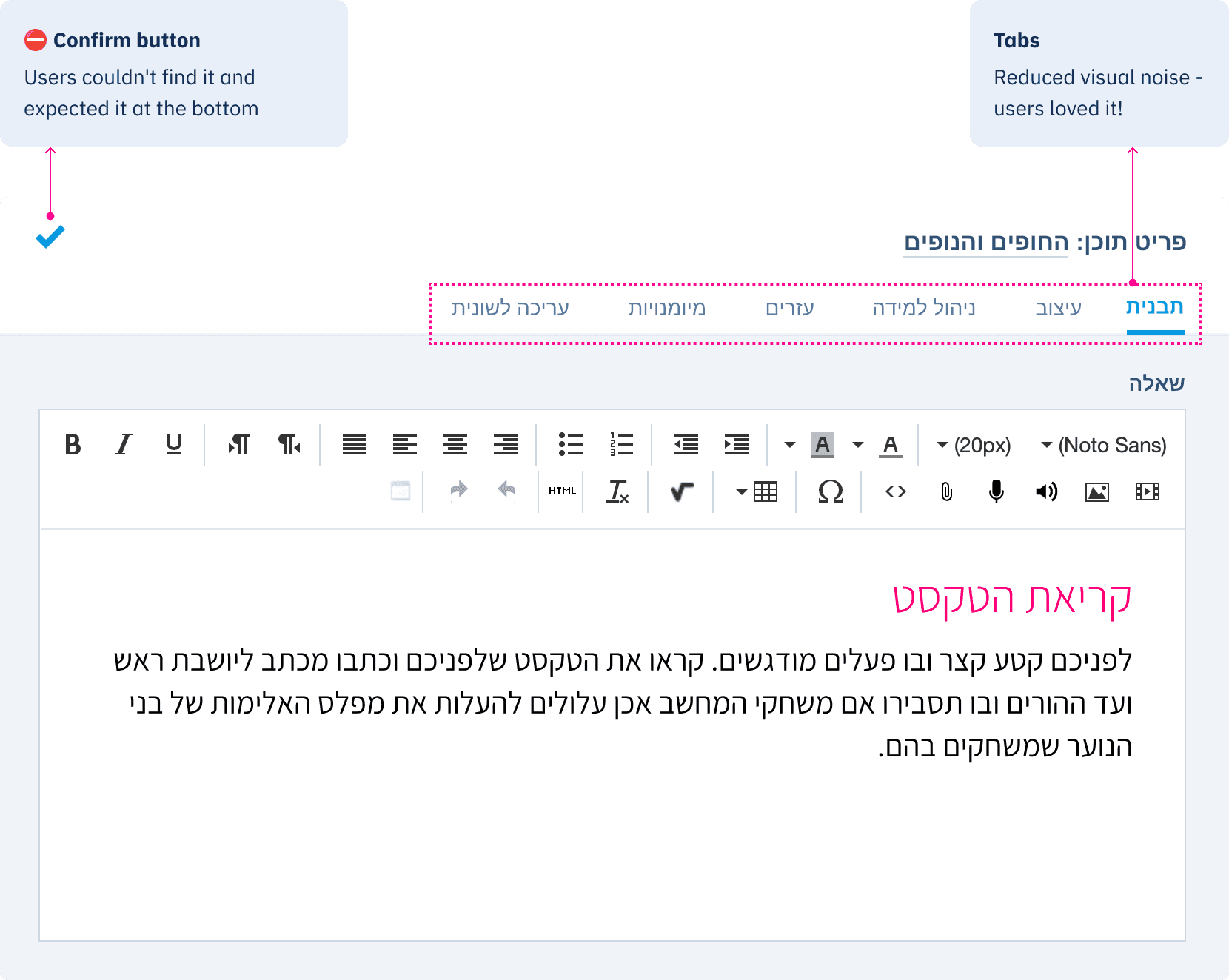
Usability testing pushed cancel to the top of the dev backlog, and it shipped just before launch.
AFTER
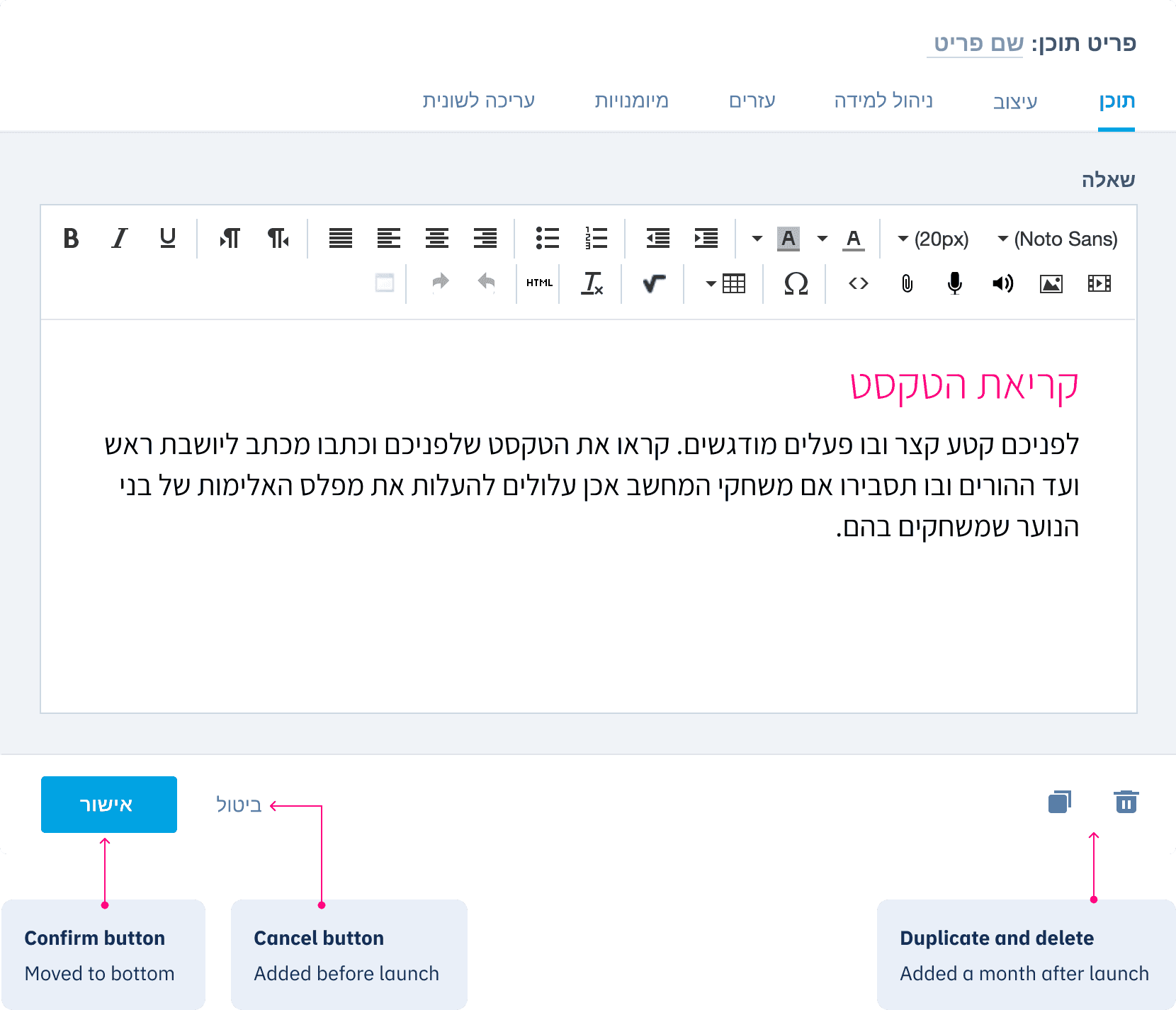
A month after launch, delete and duplicate from within the edit panel were added - also driven by user feedback.
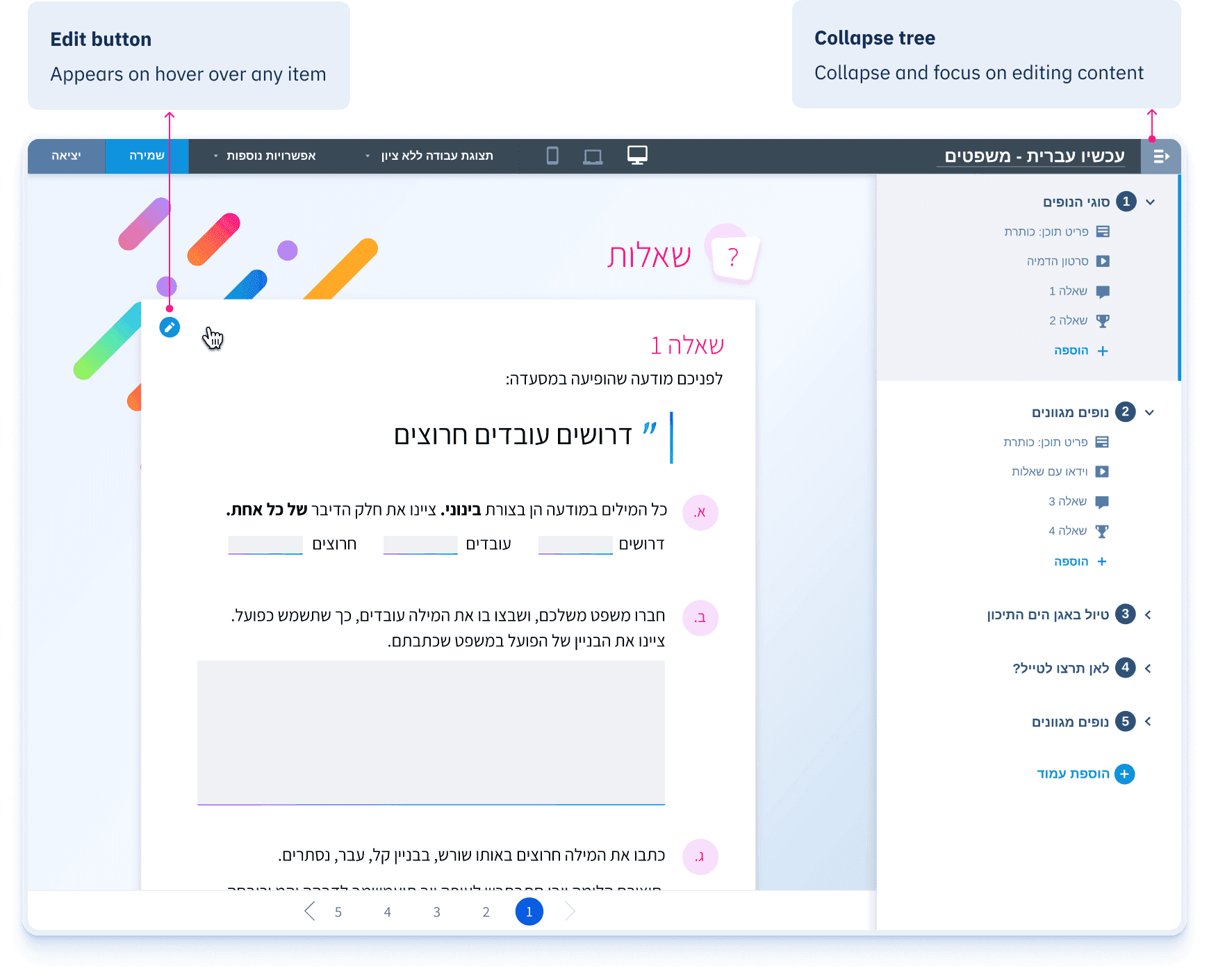
The edit button we couldn't skip
During the design process, I knew that clicking directly on content to edit it was a must. Not just through the tree. But it wasn't feasible given the timeline.
They watched users struggle to find what to edit and navigate back to the tree for every small change. A few days before the final release, they found a way to build it.
This single interaction changed the experience of the Studio more than anything else we shipped!
IMPACT
The numbers tell the story
The goal was to grow teacher adoption. The redesign made it possible - and when COVID moved schools online in 2020, the tool was ready.
Because we'd rebuilt the experience for real usability, the Studio could scale to thousands of teachers overnight.
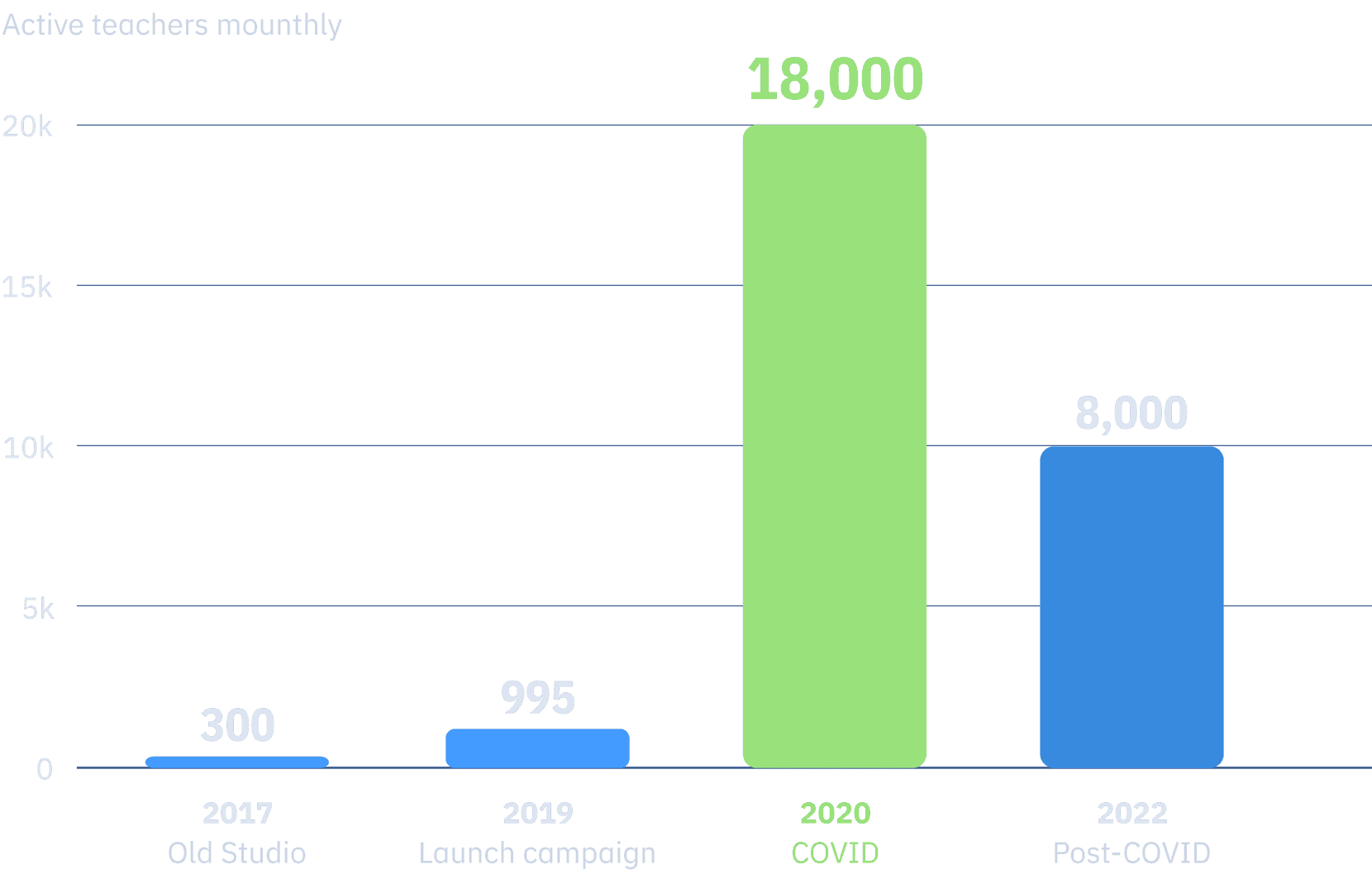
The teachers didn't leave after COVID. They stayed - becoming the Studio's primary user group and our most active users monthly.
Feedback
Validation from the people who use it is the ultimate reward:
The new Studio is very comfortable and smooth. I'm really enjoying it.
- from pedagogical staff
Very clear and clean. Thank you to everyone who made this.
- from pedagogical staff
Excellent tool. Great to use.
- from a teacher
Extending the Studio for power users
In the years that followed, our focus shifted to power users - improving productivity and giving more design freedom.
But that's a story for another time :)
More of my work
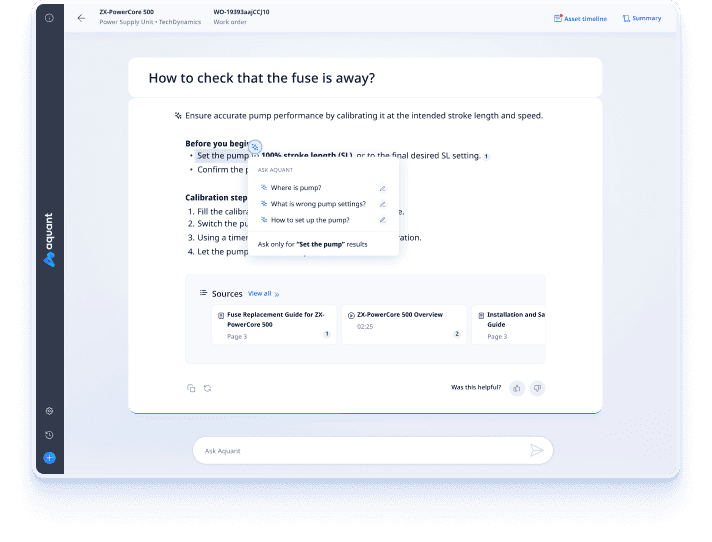
Leading the design evolution of an enterprise AI platform
From document search to agentic service platform
View with password
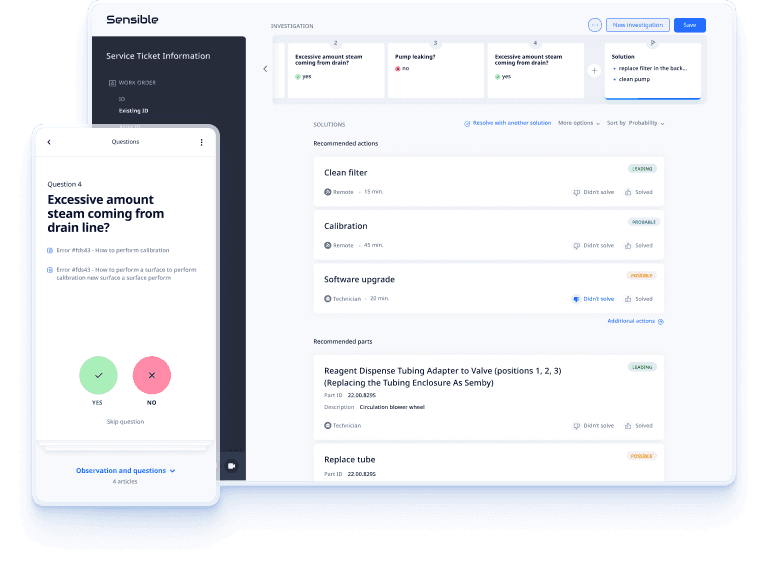
Shaping design across a B2B field service ecosystem
How momentum-driven design transformed the platform
View with password
© 2026, Mariya Lambrianov